Category: Help
-

Initializing Arc with a server without internet connection
Arc is a single executable which has everything included, there is no installation required, as you can see in this getting-started video you can start using Arc in less than a minute!
-

How to enable/disable plugins
Arc comes with a few plugins which are enabled be default. To enable/disable plugins, just go to the About page in the plugins tab, you can then toggle on or off a plugin:
-
Canvas System Requirements
Server Requirements
-

Arc shortcut keys
Arc is full of features to speed-up your developments, one of them is the use of shortcuts. This article contains the list of available shortcuts in Arc.
-

Trialling and Buying Arc
IMPORTANT: To trial, buy or update licenses the browser hosting the Arc user interface needs to be able to access the internet. If you are accessing Arc on a server it is possible that you will not be able to connect to the internet, if you have issues connecting try using your desktop computer instead.
-

Adding new elements from Excel into the Hierarchy editor
Arc supports creating new elements from Excel with the element type:
-

Filtering the search by instance and objects
Since Arc v1.0.0, the search results can be filtered by instance (i) and objects type (t).
-
Managing sessions timeout in Arc
There are two types of session timeouts in Arc:
-
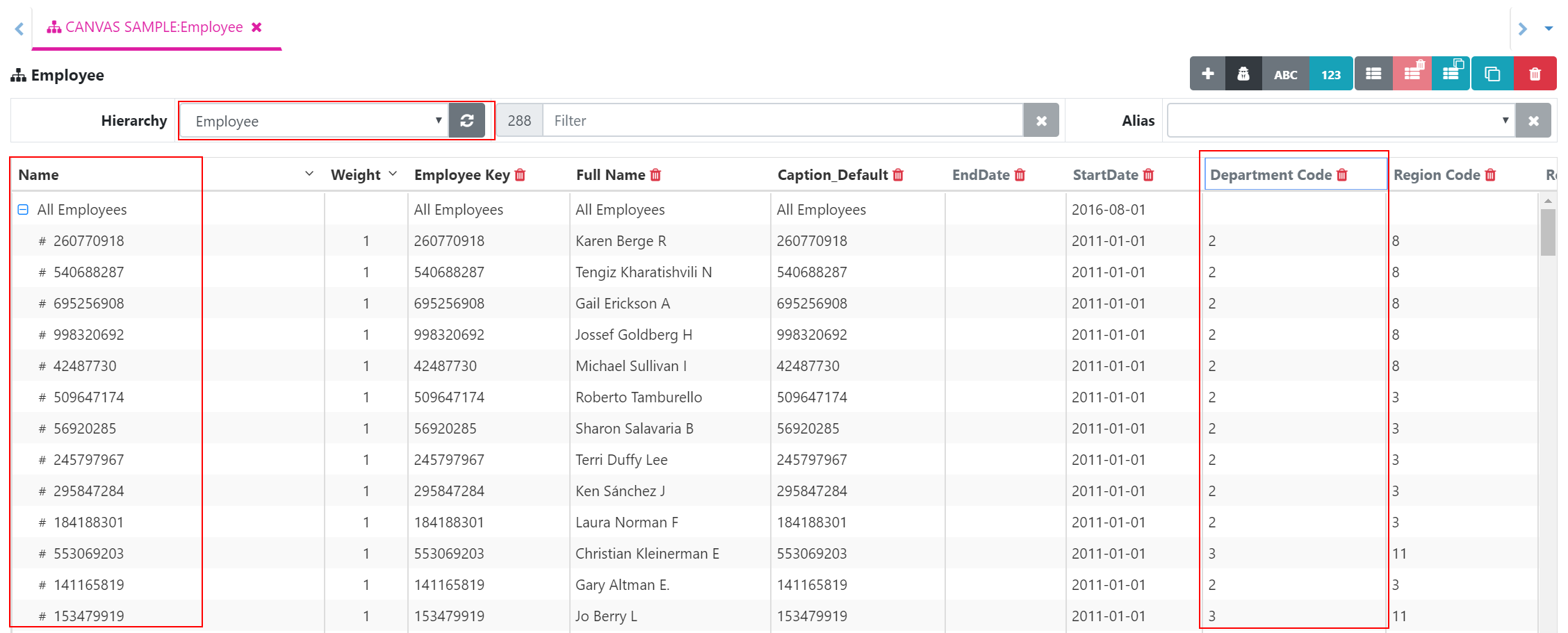
Building a new Hierarchy with a new process
In this article you will learn how to build a new Hierarchy based on attribute values.
-

Run processes in parallel using only one TM1 connection
Being able to run processes in parallel is one of the most powerful features of IBM TM1 and Planning Analytcs. Instead of loading one year of data with one process, you could run in parallel one process per month which will significantly speed up your loading time!