Category: Arc
-

Generate code automatically with snippets
A snippet is a bloc of code which can be automatically generated. To add a snippet, just press Ctrl+Space in one of the TM1 process tab, and then type snippet or the name if you know what it is.
-

Connect Arc to a TM1 instance
Arc uses the TM1 REST API to connect to an IBM Planning Analytics (TM1) instance. You can either connect to a TM1 instance using the admin host port or using the TM1 REST API port of a specific TM1 instance.
-

FAQ Arc
General + What is Arc ? Arc is an integrated development environment (IDE) for TM1 and Planning Analytics. It provides a centralized platform for all your TM1 development, access all of your on-premise and cloud environments from one location. Built from the ground up to take advantage of the new features in Planning Analytics (TM1…
-

Connect to a TM1 instance directly via the REST API
As well as connecting to an admin host you can also add connections directly to a REST API port, this will be beneficial if you are connecting to a cloud server and only the REST API port has been opened.
-
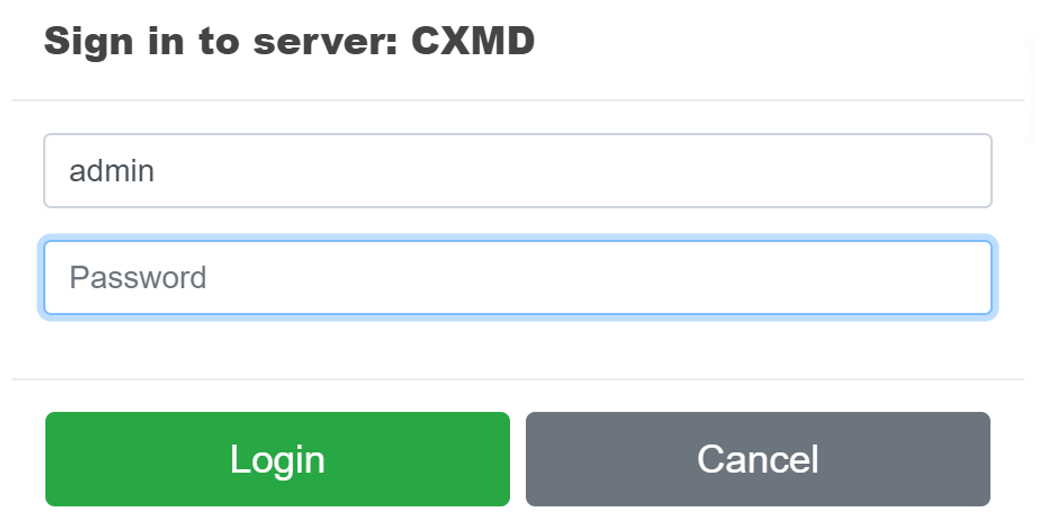
How to login into a TM1 instance
You should be able to see all TM1 instances available on the server where Arc is running.
-

Setting up Arc as a Windows service
To add some durability you can run the Arc executable as a Windows service so it will always be available. To do this you need to:
-
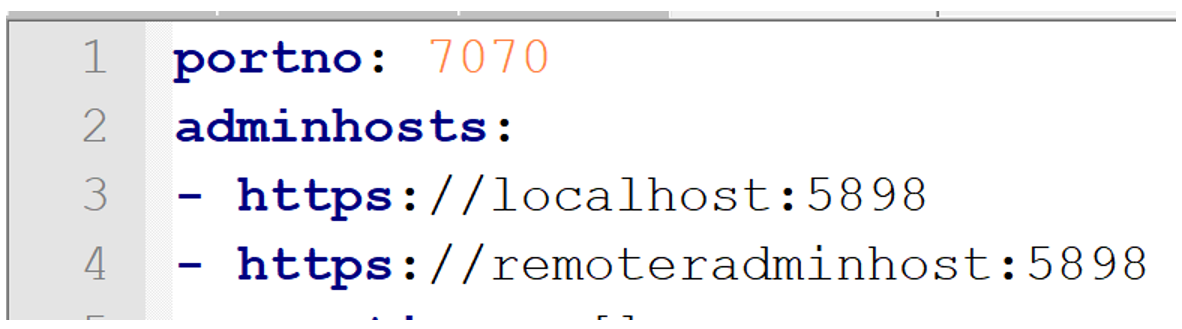
Connect to multiple admin hosts
By default Arc will connect to admin host on the local computer, if you want to connect to multiple admin hosts add an extra line for each remote admin host.
-

How to start Arc
Arc should be installed on the same server that TM1 is running, this allows Arc to access both the ODBC data sources and text files on the TM1 server. If you install Arc on a desktop or separate server Arc will function as normal with the exception of the ODBC and Text preview in Turbo…
-

How Cubewise Code will shape the future of IBM TM1/Planning Analytics in 2018
A lot happened in the TM1/Planning Analytics world in 2017. Canvas has been endorsed by many customers as their new way to build modern web planning and reporting applications. TM1py brought together for the first time, the TM1 and Python communities in order to find new ways to integrate external systems with your TM1 application.
-

Getting started with Arc (IBM only)
Any IBMer (someone who owns an email with *.ibm.com as domain) can generate their own Arc license for use at either a client or on your work computer.