Category: Product
-
Arc build quality
Build TM1 applications with gold standard Don’t compromise speed for quality. Build higher quality applications by reusing and sharing battle tested code. Access to hundreds of approved code Just click CTRL+SPACE to access hundreds of battle tested code… Avoid making mistakes In the autocomplete drop-down, you will find all variables defined in your process. Once…
-
Arc build fast
Build TM1 applications faster Arc brings state of the art development interface to TM1 developers. Arc provides a centralized platform for all your TM1 development, access all of your on-premise and cloud environments from one location. One platform for all your developments Connect with the TM1 REST API. Do your TM1 developments across all your…
-
How to test the connection to TM1
Pulse needs to authenticate to IBM Planning Analytics (TM1) via the REST API. Pulse includes a script to test how long it takes to authenticate to TM1. Starting with Pulse v6.2.0, two powershell scripts are available in the utils folder: How to run the script When your TM1 application is setup with basic authentication (security…
-
Arc and Slice v4.0 is now available
A new version of Arc and Slice is now available to download. Version 4 is a big milestone in the history of Arc and Slice. You can now connect your Arc server to Pulse to unlock many new features in your Arc application, such as Instance/Server Monitoring, Full Model Search, Alerts and Change Tracking. We…
-
Pulse v6.2 is now available
Pulse v6.2 comes with many optimizations in the logic to determine the status of the TM1 instances. The main new feature is the connection with Arc.
-
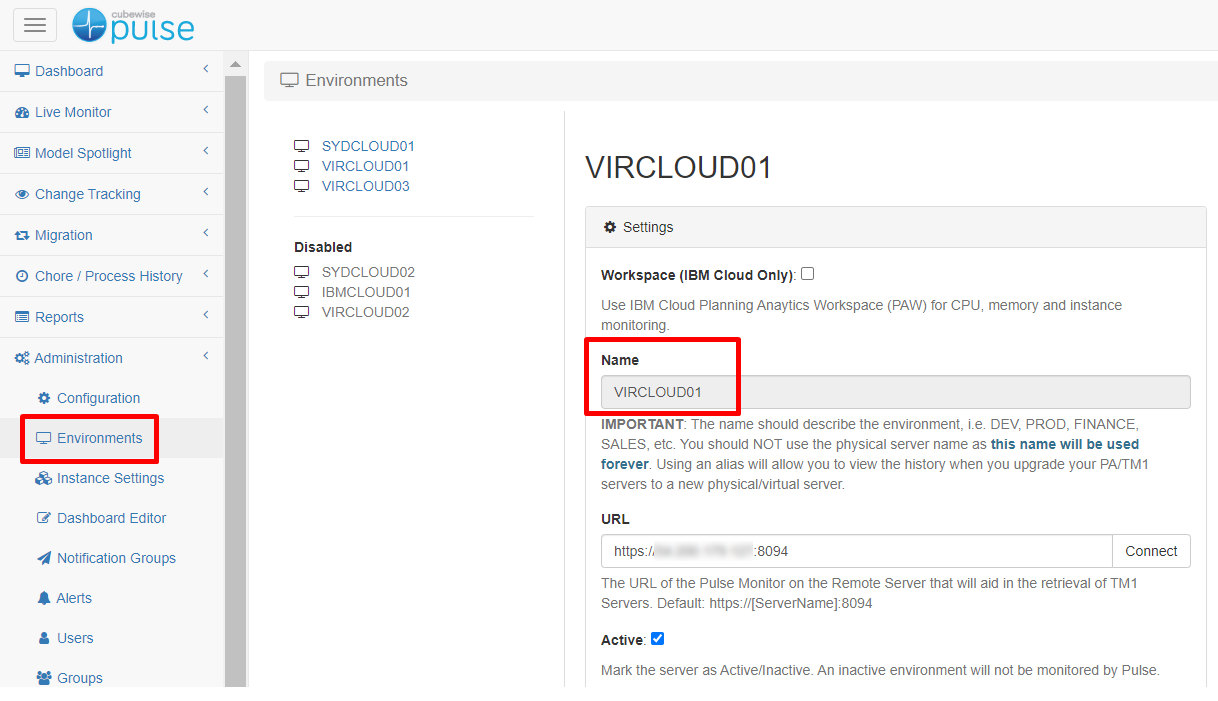
Connecting Arc to Pulse
Pulse minimum version should be v6.1.2
-
Create Dynamic Asynchronous Views with MDX
Everyone who works with IBM Planning Analytics / TM1 is familiar with a cube view that you can create using a cube viewer.
-
Making it Easier to Write and Test MDX Queries with Arc
As we explained in a previous article, MDX is becoming more and more important in the IBM Planning Analytics / TM1 community and it is one of the key skills that any TM1 developer needs to have in order to make the most of the software.
-

How to Get the Most out of MDX Forms with Slice
MDX forms are an incredibly powerful add-on to the existing Excel reports in IBM Planning Analytics (TM1) and they offer a tremendous level of flexibility and customization to get you the results that you need. In this article, we’re going to go deeper into some of the more advanced use cases, so if you’d like…
-

Arc settings.yml file
Arc settings file can be found in folder where Arc was installed and it is called: settings.yml.