Category: Product
-

10 Tips to improve your TM1 application
Over the years your TM1 application will grow, you might create new cubes, create/update rules or TM1 processes, create new elements…. All these changes will have an impact on your application performance.
-
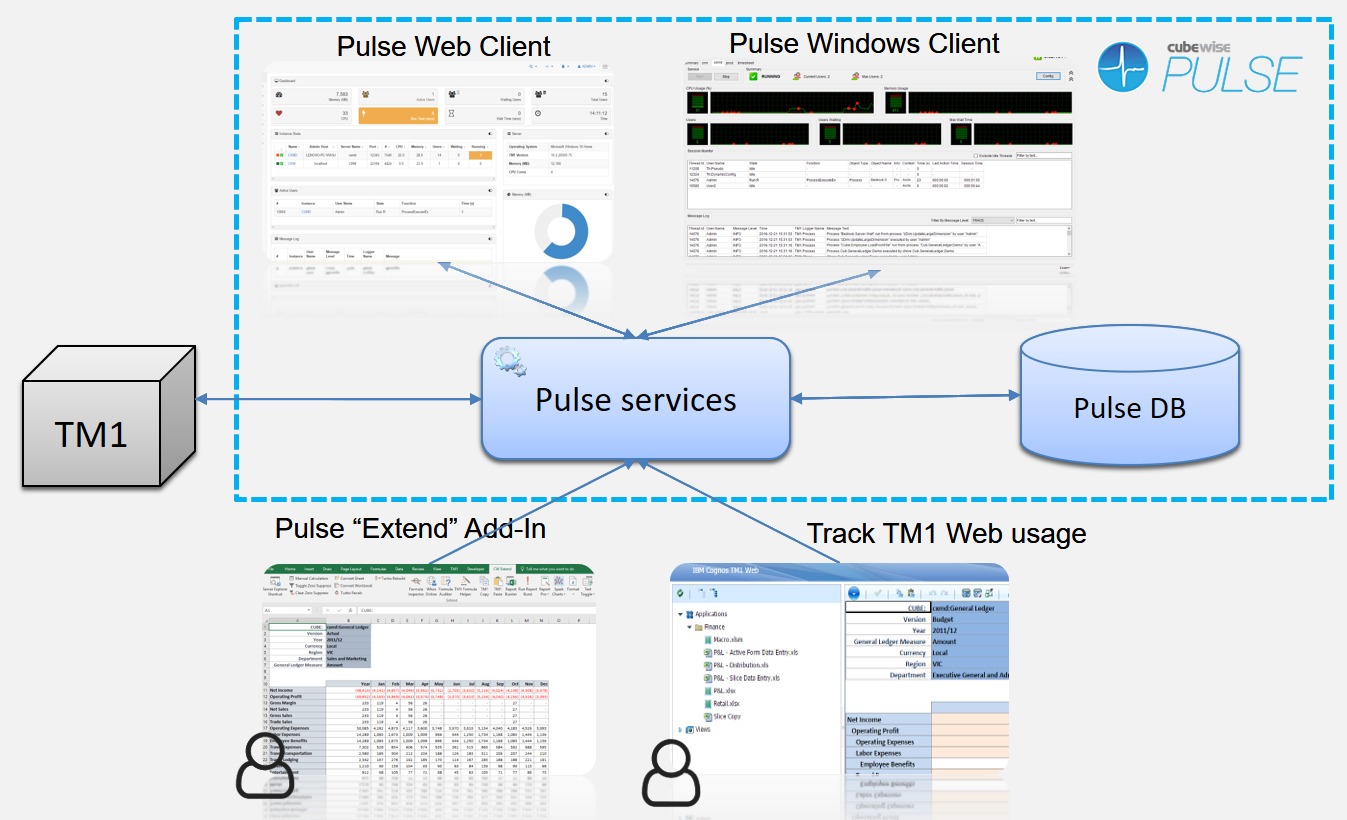
Monitor and manage your TM1 environment in one place
Managing the performance of your company’s IBM TM1 applications has never been an easy task with the limited built in tools. You and your company can appreciate that as the size and complexity of systems grow you need the right tools to understand your model, track what is happening and then diagnose issues as they…
-

Drive a rowset with a dynamic MDX statement
The introduction of Active Forms with TM1 v9.5 was a big step forward in the TM1 world. It allowed for the first time TM1 users to build reports with dynamic rows without having to write a single lines of VBA.
-

Happy TM1 users by Pro-Active support
Over the years your TM1 application is growing, as your TM1 application grows, your TM1 user base is likely to grow as well. Supporting a large number of users can be time consuming, especially during month end closes and budgeting/forecasting periods, I can bet that these questions have been asked of you many times before:
-

Create SUBNMs that are dependent on each other
We’re starting a series of articles about Excel-like functions in Canvas. These articles will show you that if you have ever authored a TM1 reporting or planning application in Excel, you will quickly and easily be able to build these assets in Canvas.
-

Update the Pulse Application Server JVM maximum memory
The Java application server (pulseas.exe) which runs in the background has a default memory of 1024 MB.
-

Renaming TM1 server name and instance name
Pulse stores the TM1 server name and instance name in the Pulse databases and folders. Pulse stores the data in the databases by server name and instance name.
-

What is the TM1 REST API?
The TM1 REST API is a new way of accessing data and everything else in TM1. Rather than being a proprietary API like old TM1 interfaces it is based on web standards making it accessible to a wide range of developers.
-
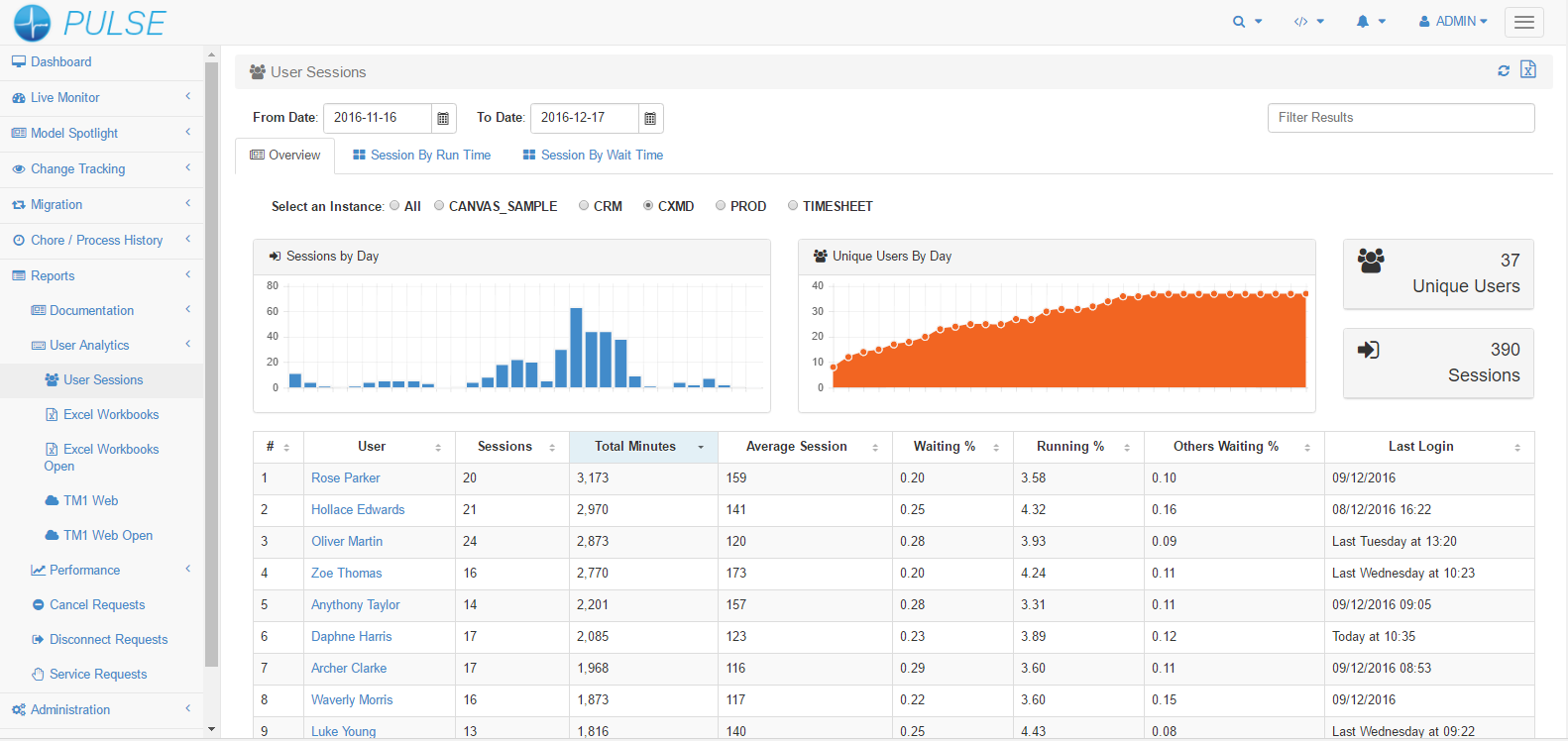
How to measure TM1 user adoption
User adoption is good way to evaluate the success of any application. You can build the most efficient application ever created but at the end of the day if users are not using it, it’s ROI is questionable.Typically, in most projects, only key users are involved during the design phase. While most business users will…
-

Concatenate a selection, i.e Month and Month YTD
TM1 has been so successful over the years, not just thanks to its powerful calculation engine but also thanks to its very mature Excel add-in, Perspectives. With Perspectives, you can slice your data from a cube into Excel and then you have the freedom to customize your report by adding formulas or conditional formatting. Perspective…