Category: Slice
-

Getting started with Slice in one minute
Slice is a straightforward Excel add-in for IBM Planning Analytics (TM1). It is very easy to install, this article and the video below show how to get Slice running in one minute.
-

Slice is now available to download
After a few iterations of the beta versions, Slice is now released publicly. Slice v3.0 is the first release available to download for free on the Cubewise CODE website!
-

Getting started with Slice
Slice is free, easy to install with few dependencies, connected directly to the TM1 REST API, works over the internet, has built-in support for hierarchies, supports existing reports built in Perspectives and formula mode in PA for Excel.
-

How to install the Slice license
This article explains how to install the Slice license. In the Slice ribbon, if some features are greyed out like below, it means that your license has expired:
-

Slice beta v2.3 is now available
A new version of Slice is now available for download. This new version includes 35 enhancements and fixes coming from the Slice Beta program. In case you are interested in participating in the beta program and test Slice in your environment, please reach out to us using the link below.
-

Using Excel Ranges within TM1 functions
Slice allows TM1 Elements to be aggregated by referencing Excel Ranges in a formula.
-
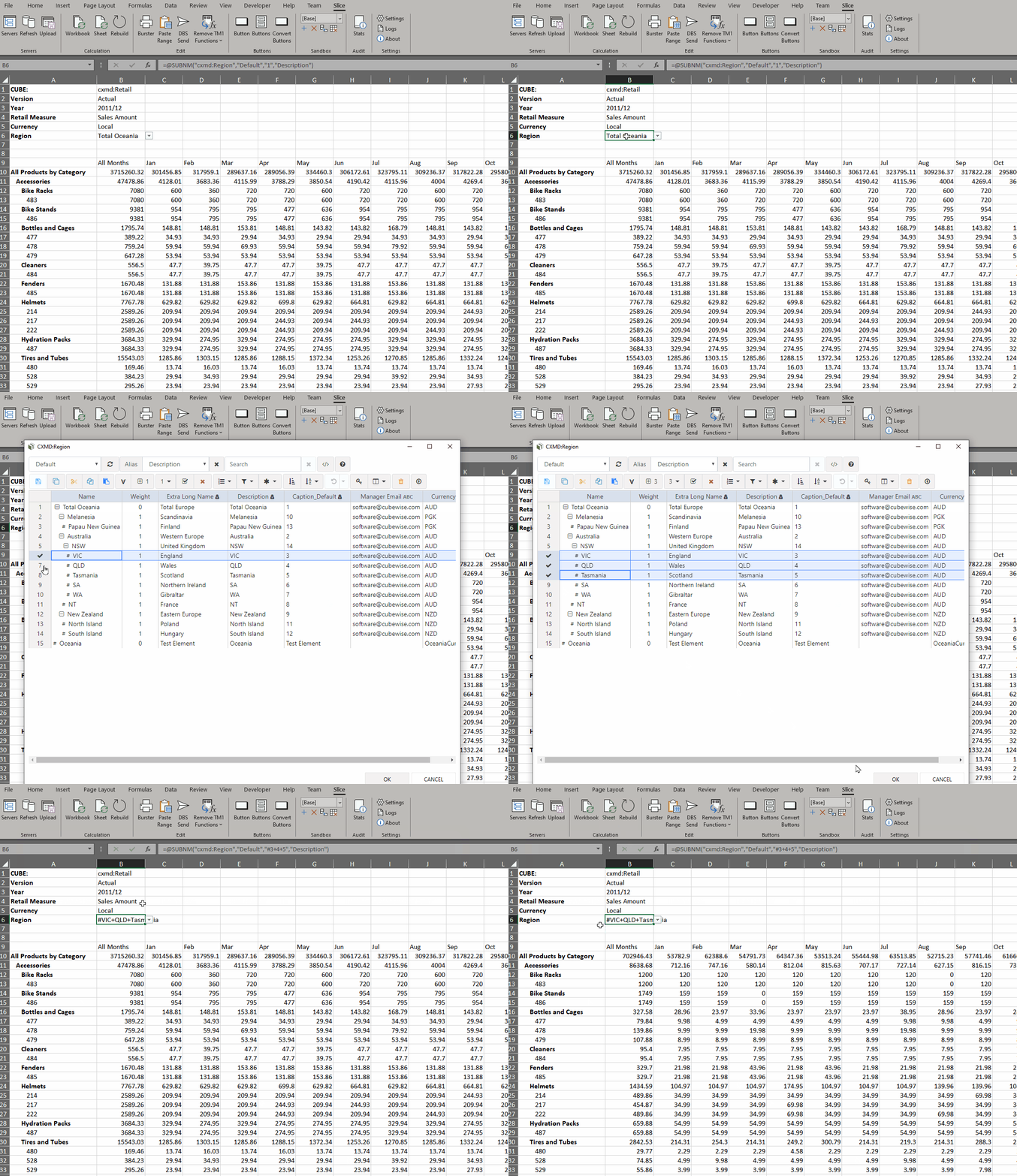
Virtual Consolidations and Virtual Expressions
Virtual Consolidation and Virtual Expressions allow the user to introduce additional calculations to a worksheet by either selecting multiple elements from the set editor or by manually inserting an MDX set expression. These calculations are performed by the TM1 server, as part of the MDX query generated by Slice.
-

Getting Slice logs
To see Slice logs
-

Uninstalling Slice for TM1
If Slice was installed with the installer, you will find the Uninstall.exe file in the slice installation folder by default C:Program FilesSlice.
-

Configuring Slice – Settings
Slice Settings can be updated through the Settings button from the Excel ribbon: