
We’re excited to announce that Arc & Slice 5.3.0 is now available! This release is packed with powerful new capabilities designed to help you work faster, stay focused, and get more done — all without leaving your favourite tools.
Here’s a look at what’s new and why it matters.
Navigate Complex Rules with Ease
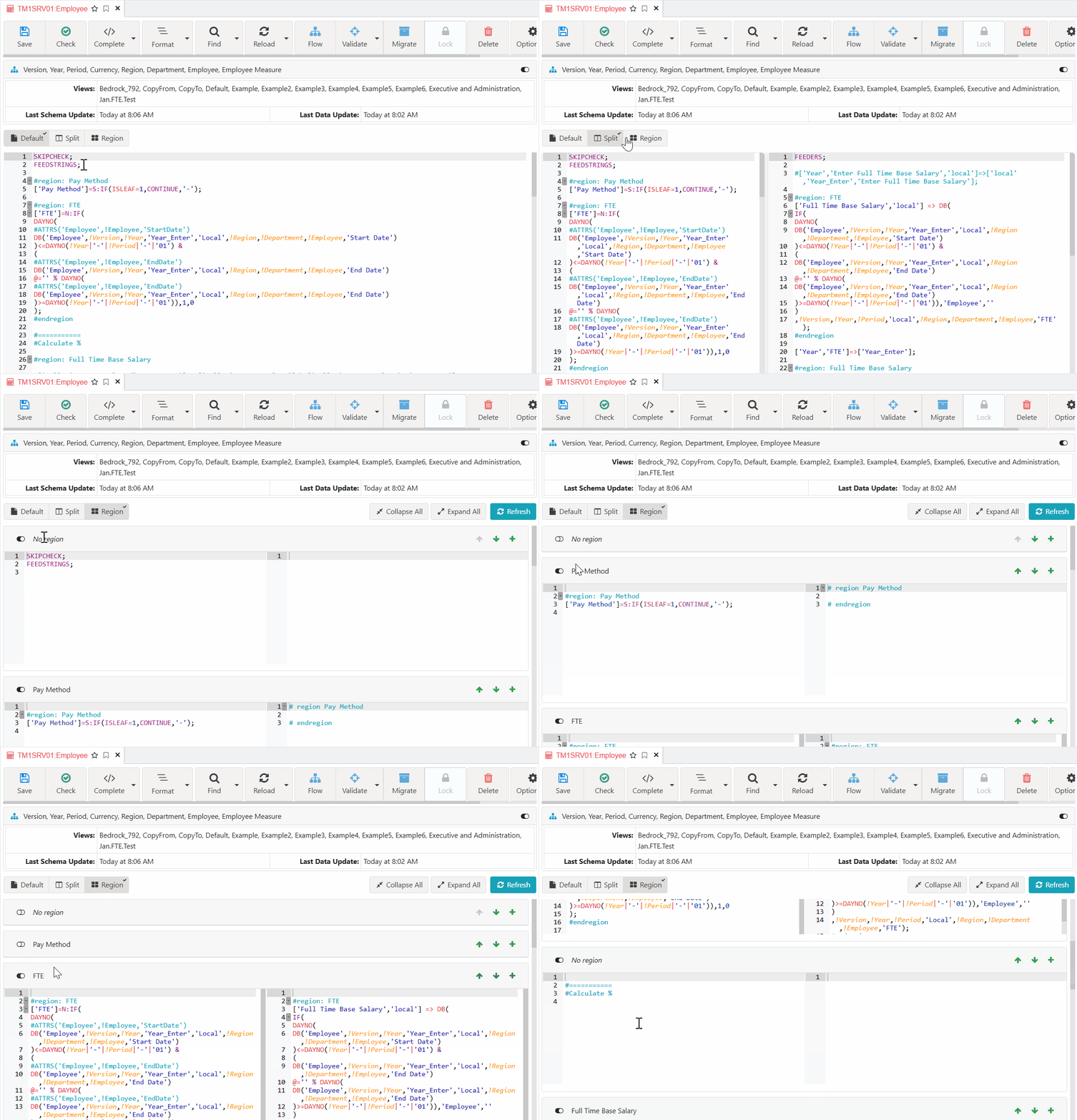
If you’ve ever found yourself endlessly scrolling through large rule files trying to match feeders to rules, this one’s for you. The Rules Editor now offers three distinct view modes — Default, Split, and Region — so you can organise, cross-reference, and navigate rules and feeders the way that works best for you. Less time searching, more time building. This feature requires Arc+.
See Your Full Database Schema — Right Inside Arc
Why switch between tools when you don’t have to? The ODBC editor now displays the complete schema of your connected database — tables, columns, and structure — directly within Arc. Write and validate your SQL queries faster, with everything you need in one place.

Update ODBC Connections in Bulk
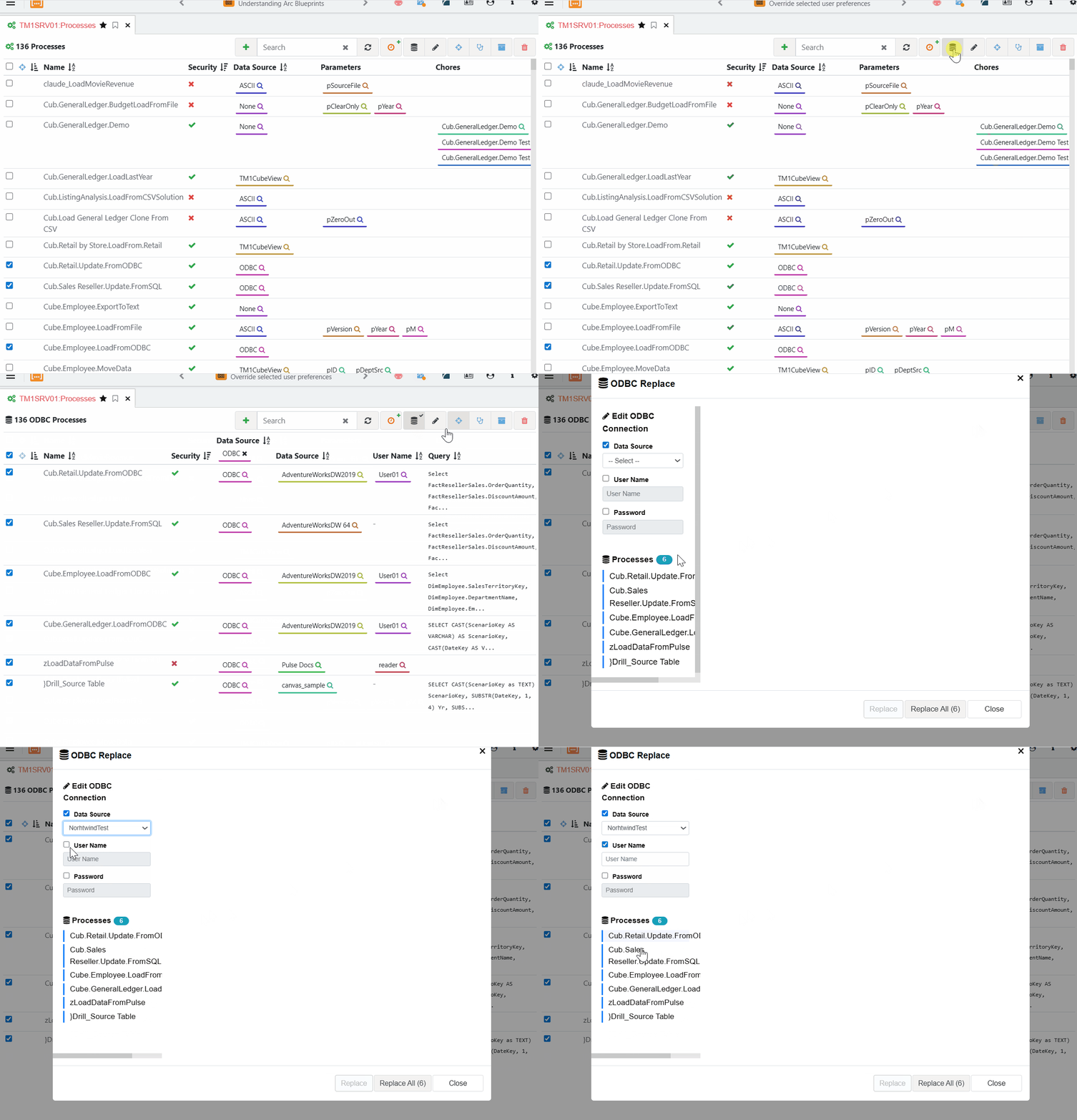
Updating ODBC connection details across multiple TM1 processes used to mean repetitive, error-prone manual edits. Not anymore. With the new ODBC Replace dialog, you can select multiple processes and update their datasource information in a single operation. Fewer clicks, fewer mistakes, faster results.
DefineCalc Support in Slice
Slice now supports the DefineCalc TM1 formula, giving you the flexibility to define calculated members directly within your Excel worksheets. Build more dynamic, powerful reports without leaving the spreadsheet environment your teams already know and love.
Plus 16 Enhancements and 19 Fixes
Beyond the headline features, this release includes 16 enhancements across the Subset Editor, Pulse Migration, Export Data, Report Burster, and more — along with 19 targeted fixes to improve stability and performance across Arc and Slice.
For the complete list, check out the full release notes.
Downloads:
- Slice download page: Slice download
- Arc download page: arc-download
Leave a Reply